Early access · Android tablets
Vector illustration, made for your tablet.
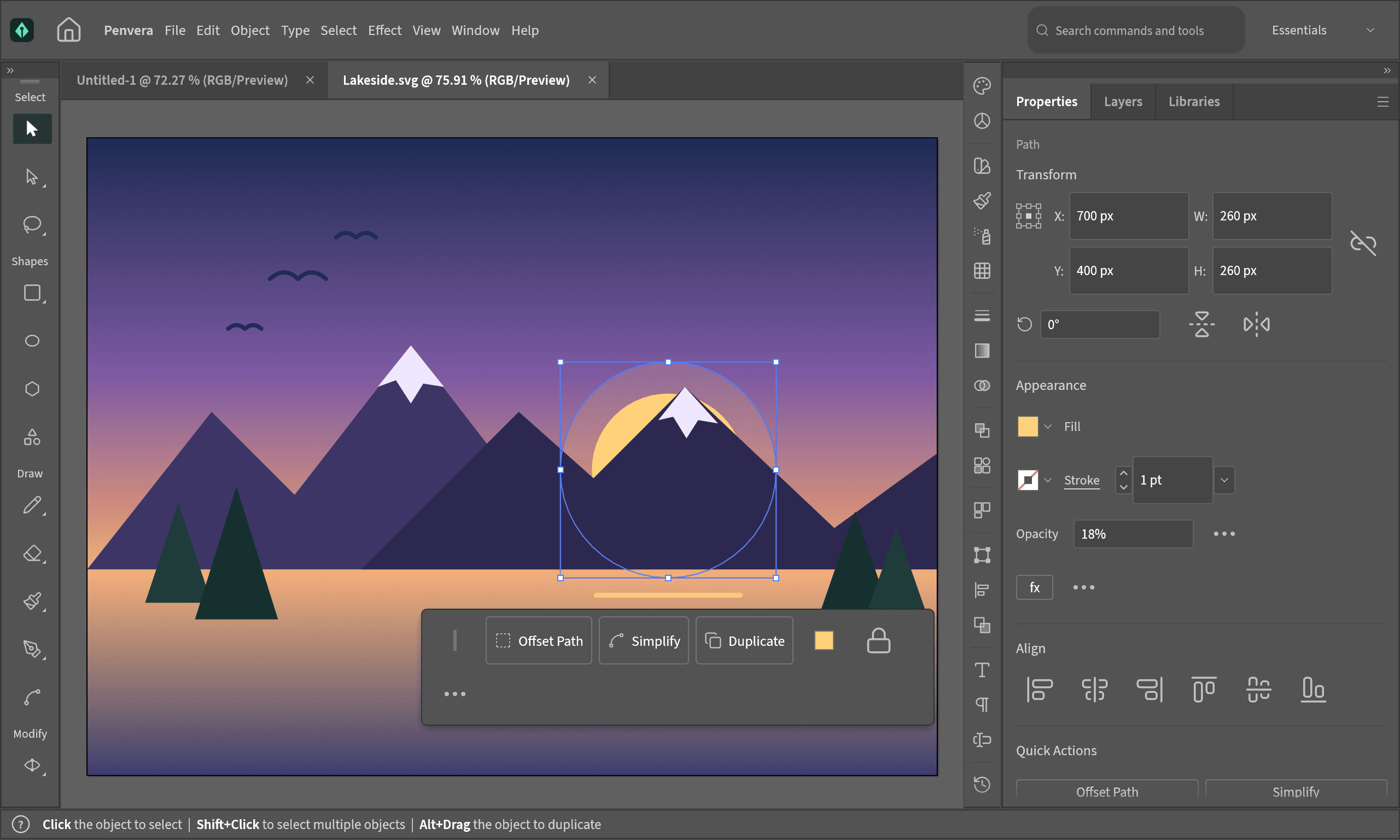
Penvera brings a professional vector workspace to Android tablets. Draw with your stylus, shape paths precisely and organise your artwork in layers.
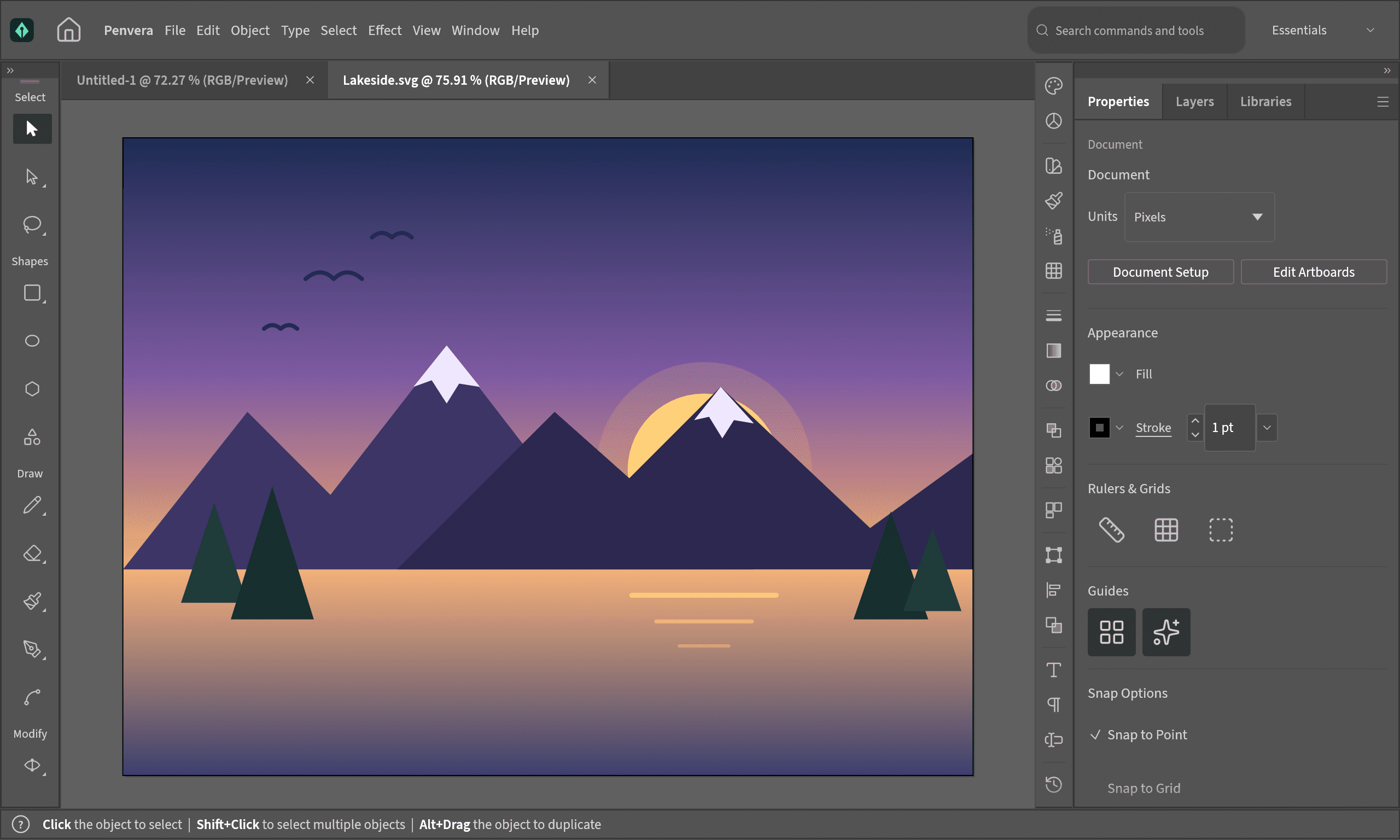
Real vector tools
Pen, pencil, brush and shape tools, with path editing, Pathfinder, gradients, effects and type.
Built for the stylus
Pressure-sensitive drawing with S Pen and other styluses. Turn on Draw with Stylus Only and your fingers pan and zoom.
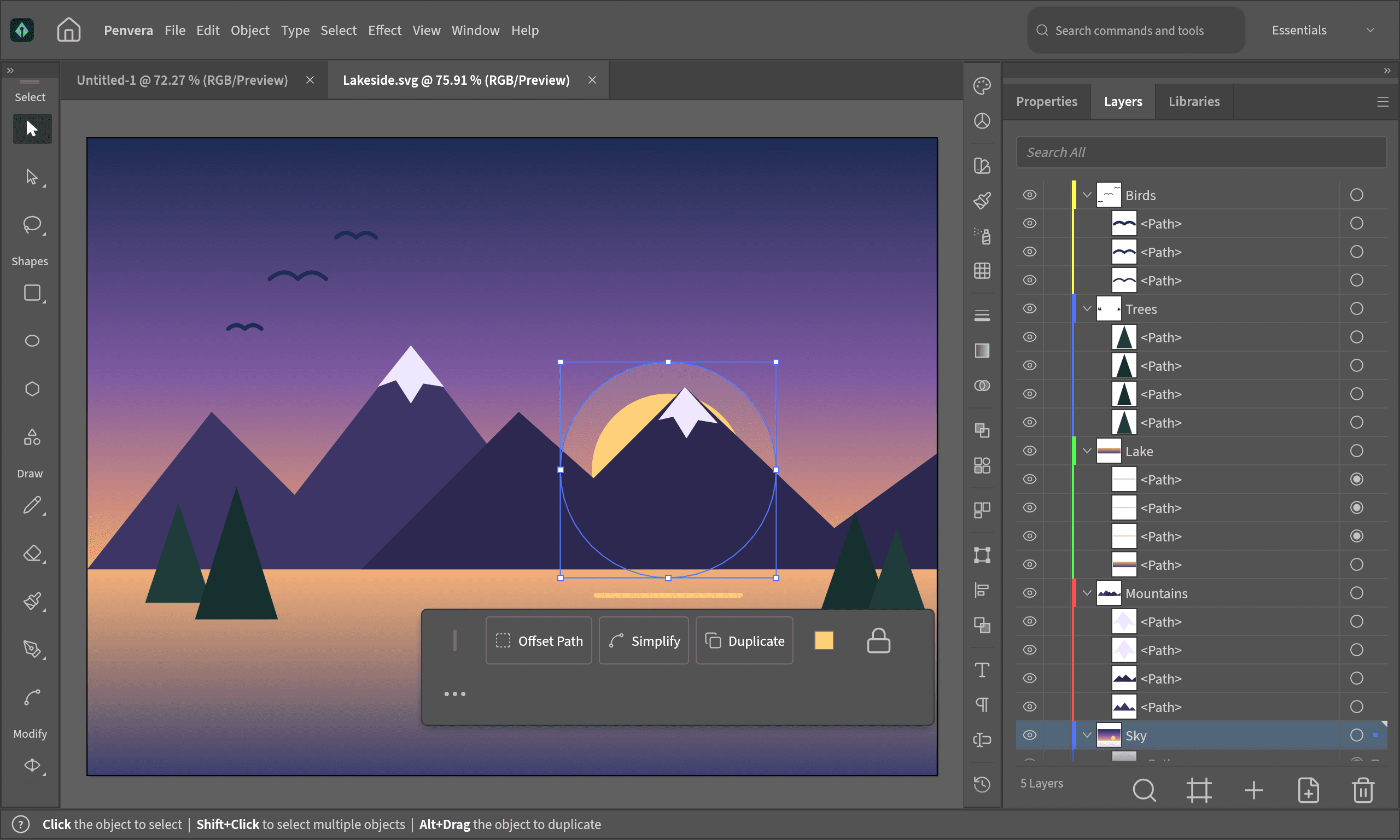
Layers and panels
Layers, Properties, Libraries and the other panels of a desktop workspace, laid out for a tablet screen.
Keyboard, mouse and touchpad
Connect a keyboard for shortcuts, and a mouse or touchpad for precise work.
Open formats
Open and save SVG and PDF, and keep full documents in the Penvera format.
Your files stay yours
No account, no ads and no tracking. Penvera has no internet access, and your work never leaves your device.
Penvera is in early access: some features may be missing or not work as expected yet. It works best on a tablet with a stylus; phones are supported with a simplified layout. Questions or problems? Write to privacy@hadtaw.com.